
An effective AI product video brief identifies the audience, the product details that must stay accurate, the reference images, the intended camera movement, and the delivery format. Ask the agent to propose a generation plan first, then review the draft against clear visual acceptance criteria.
Take a simple product-video assignment: a small homeware shop wants a short clip of a blue ceramic mug for its social feed. The shop has a good photograph and a vague request: “Make it feel premium.” An AI video agent still needs to know what that means. Should the camera move closer? Should the mug turn? Is the clip meant to show its shape or suggest a quiet morning at home? Those decisions belong in the brief before the first generation.
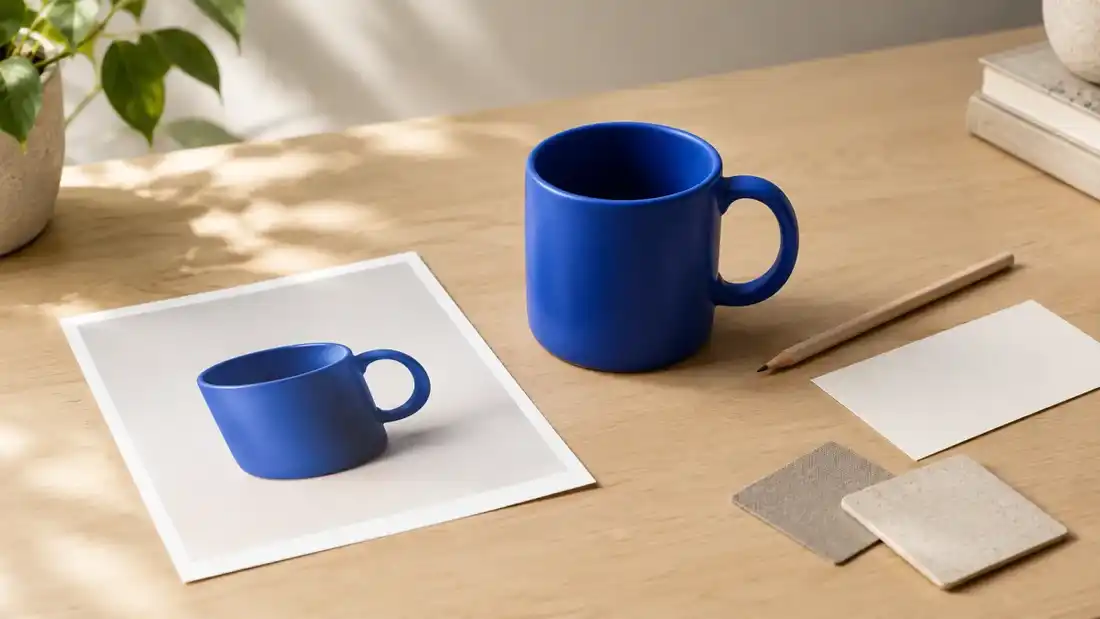 Illustrative setup: a product, its reference photograph and materials for a video brief. AI-generated image.
A useful brief gives you something to judge the result against. Without it, a dramatic camera move can win approval even when the handle changes shape halfway through. The example below is a planning exercise, not a report of a completed campaign. You can adapt it to your own product and use it to decide whether a first draft is worth developing.
Decide what this particular clip has to do
Start with the place the video will appear and the one thing a viewer should notice. For the homeware shop, the job might be to introduce a new mug colour to people who already follow the brand. That calls for a clear view of the glaze. A demonstration of how the mug fits under a coffee machine would need different footage.
Write the intended format into the brief, too. A vertical social post and a wide website banner leave different amounts of room around the product. If you plan to add a headline later, say where that space should be. Check the output options available in the chosen tool before committing to a layout.
Adobe’s guidance on creative briefs puts objectives, audience and deliverables among the information a team should settle upfront. That is useful even when the team is one person. “Show our new blue glaze to existing customers in a vertical social post” is enough context to make several creative decisions. It does not need to become a page of brand adjectives.
Give each reference image a clear role
Choose a product photo in which the shape and relevant details are easy to see. For this example, the rim, handle and base should all be visible. A photograph with the handle hidden behind a prop leaves an important part of the product unspecified.
Keep the product reference separate from any mood reference. If you also upload an interior photograph for its warm lighting, explain that it is a lighting reference. Otherwise, the request leaves room for confusion about which objects or colours should appear in the result.
Use filenames you can distinguish in the conversation, such as “blue-mug-front” and “warm-light-reference”. If one photograph shows an older version of the product, leave it out. Before uploading, check that the image you selected actually shows the item now on sale. A detailed prompt will not make an outdated reference more useful.
Google’s image-to-video guidance recommends a clear source image and motion-focused instructions. The image already supplies much of the visual information. For a commercial brief, add the details you will check later: the mug’s straight sides, round handle and blue finish. Asking for those details to remain consistent establishes your acceptance criteria; you still need to inspect the generated clip.
Use the conversation to turn the brief into a plan
In iMideo, the AI video agent works from the reference media you upload and answers a request with a proposed generation plan. You can review the suggested tool, available settings and credit cost before starting a task, then continue working from the result in the same conversation.
Bring the brief into that conversation. Explain that the mug photograph is the product reference, describe the intended movement, and check whether the proposed operation fits the assignment. The options depend on the selected tool, so read the plan against your requirements before you confirm it.
The agent can help choose a tool. You still decide whether the requested shot would serve the campaign. If the idea depends on showing the unseen underside of the mug, supply that view or choose a shot supported by the material you have.
Describe movement you could point to on screen
“Premium” can suggest restraint, dramatic lighting, a dark background or a glossy surface. Those choices produce very different images. Translate the adjective into visible instructions: the mug stays on the table, the camera moves slowly closer, and the handle remains inside the frame.
Begin with one main movement. Runway’s image-to-video prompting guide recommends starting with the essential motion and adding detail as needed. For the mug, a small camera move gives you a manageable first test. Combining a spinning product, moving props and a changing background would make it harder to identify which instruction caused a problem.
You can make a more ambitious version later. First, see whether the simple shot keeps the product recognisable from beginning to end. Plain language is sufficient: “Move slowly towards the mug and stop while the whole handle is still visible” describes a shot you can check.
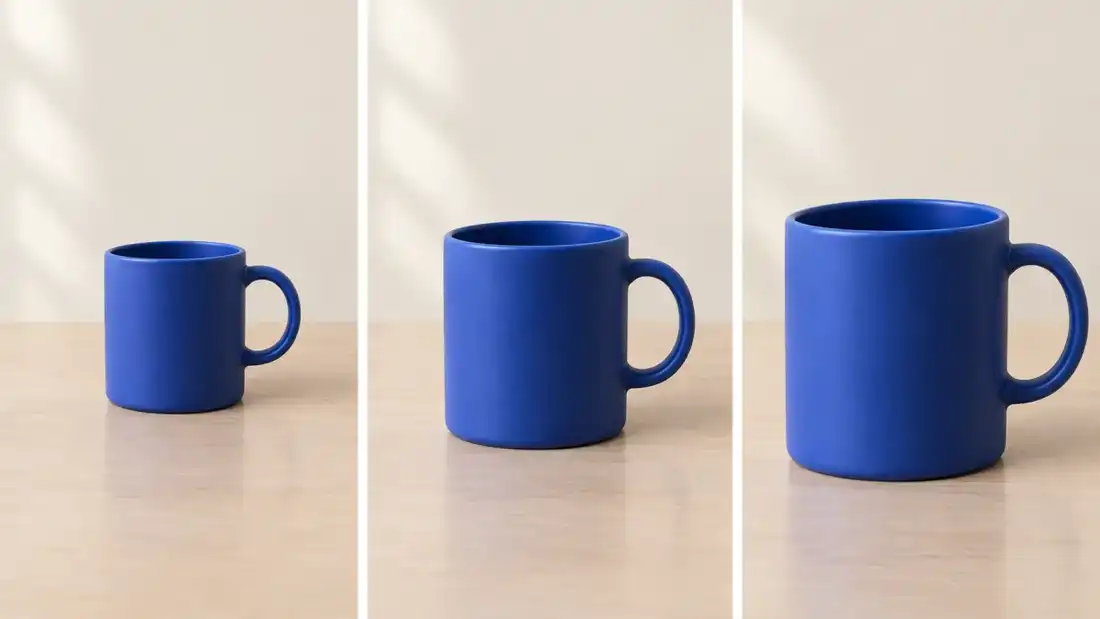 Planned framing for a gentle camera move. AI-generated storyboard illustration, not frames from an iMideo result.
A product-video brief you can adapt
The following example combines the business context with a specific shot request. It is a starting point for a conversation; the tool’s proposed settings determine what can actually be generated.
We need a short vertical clip for our homeware shop’s social feed. The audience already knows the shop; this post introduces the blue glaze on our ceramic mug.
Use the attached product photograph as the reference for the mug. Keep its cylindrical body, round handle and blue finish recognisable. The pale wooden table and soft window light in the photograph suit the post.
For the first draft, keep the mug still and move the camera slowly closer. Finish with the whole handle and rim visible. Leave some clear space above the mug so we can add a short headline in our editing software later.
Please propose a suitable image-to-video task and show the available settings before generating. We will review whether the product stays consistent throughout the clip and whether the camera movement suits the calm mood.
For your own brief, replace the audience, reference and intended action together. Changing “mug” to “jacket” would leave several decisions unresolved. A jacket might need a view of the fabric in motion or a demonstration of the fastening. Decide what the viewer needs to see before choosing the movement.
What should you check before generating an AI product video?
I recommend a quick pre-generation checklist rather than relying on a long, adjective-heavy prompt. Confirm that the source photograph matches the current product, the requested camera move can be inferred from the image, and the format fits the publishing channel. Check whether the planned shot leaves enough room for overlays and whether the selected model supports the required duration and aspect ratio. Finally, review the displayed credit cost and decide how many iterations the budget can accommodate. If one of these conditions fails, revise the brief before spending credits.
Read the proposed task against the brief
Before generating, check that the proposal uses the intended reference and operation. If your request was to animate an existing product photograph, a plan to create a new image first deserves a closer look. There may be a reason for that extra step, but you should understand it.
Check the available format and duration, along with the displayed cost. A requested setting may not be available for every model or operation. Adjust the request to fit the supported options, or reconsider the tool if the missing setting is essential to the assignment.
Look for requests that work against each other. Moving very close to the mug while keeping ample space above it for a headline may require a different starting composition. Decide which requirement matters more. You can revise the brief before generating, while the only thing being changed is a few lines of text.
It also helps to decide what belongs in a later editing step. In this example, the shop will add its headline separately. There is no need to make the first generation responsible for the finished post’s typography, call to action and final layout.
Judge the first draft against the actual product
Watch the whole clip at normal speed. Then pause where the mug’s outline or reflections appear to change. Compare those moments with the original photograph. A smooth opening frame tells you little about what happens near the end.
For this assignment, ask whether a customer would recognise the mug shown in the product listing. Does the handle keep the same shape? Does the rim stay attached to the body? Does the blue finish remain plausible under the lighting? These are checks on the result, not features guaranteed by a prompt.
Next, place the clip in a rough version of the intended post. Add the planned headline in your usual editor and view it at phone size. You may discover that the camera gets too close, that the text has nowhere to sit, or that the product is too small to carry the message. Those are useful findings before anyone spends time polishing the caption.
How do you know when the product video is ready to use?
I would write three pass-or-fail criteria before approving a draft: the product remains recognisable in every frame, the intended movement is clear without hiding important details, and the final composition works with the planned headline at phone size. For the blue mug, inspect the handle, rim and glaze at the beginning, middle and end. A visually striking clip that changes the merchandise is not a successful product video. If a defect repeats after a targeted revision, simplify the movement or use authentic footage for that shot.
Make the next request specific
If the mug looks right but the shot feels rushed, ask for a slower camera move. If the handle is distorted, identify that problem and reconsider the motion or reference. “Make it better” gives you no clear way to tell whether the next attempt addressed the issue.
Changing one main element at a time makes comparison easier. It does not guarantee that every other detail will stay fixed, so inspect the next version in full. When a product detail repeatedly comes out wrong, a simpler shot or a real video of that detail may be the more practical choice.
Keep the original brief beside the version you decide to use. Note the reference, the requested movement and any editing still required. When the next colour launches, those notes give you a starting point that is more useful than a folder of unnamed clips. Before you open a new conversation, finish one sentence: “This video needs to show the viewer…”
Frequently asked questions about AI product video briefs
What should an AI product video brief include?
Include the audience, campaign objective, publishing format, reference image, non-negotiable product details, intended camera movement and review criteria. Separate product facts from the creative mood so the request is easier to revise.
How detailed should an image-to-video prompt be?
Start with a clear source image and one observable movement. Add constraints when they address a real risk, such as a handle leaving the frame. More adjectives do not automatically produce a reliable result.
How can you keep a product consistent in an AI-generated video?
Use an accurate, well-lit product reference and describe the details that must remain unchanged. Inspect the entire clip, not just the opening frame. If the model repeatedly alters a feature, try a simpler shot.
Should you generate captions and headlines inside the video?
Not necessarily. I prefer to leave space for text and add the final headline in an editor when precise typography matters. This keeps generation focused on the product and its movement.